Workout
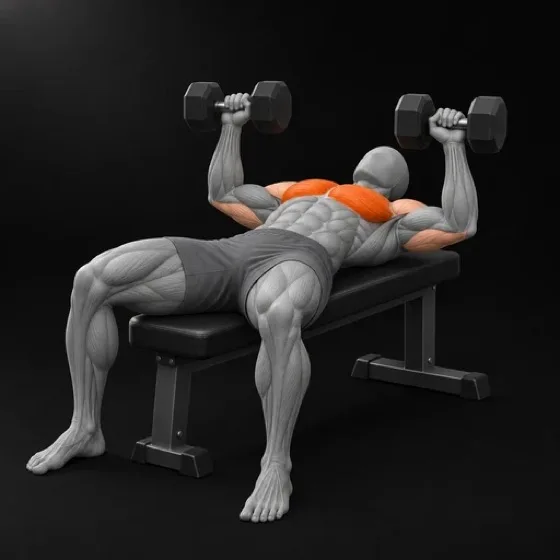
Dumbbell bench press
- Sets
- 3
- Reps
- 8–12
Share posts, links or screenshots from your iPhone. Pigeon pulls out recipes, addresses and workouts you can sync or export.
 Post
 Screenshot








Pigeon
Workout
Recipe
Place
 Workout NotepadSync your workouts
 Apple RemindersMake a shopping list
 NotionSync the kinds you choose
Share from any app with an iPhone share sheet.
Edit the details in your version whenever you like. The original stays linked.
Place
Recipe
Workout

Event
Use open formats and APIs to read and update your saves. Webhooks tell your app when to check the change feed.
With Pro, connect an AI assistant through Model Context Protocol (MCP). Your assistant can read the saves you share, send new items to Pigeon and, when you allow it, edit your saves directly. You can review edits for up to 365 days and undo fields that still hold the values the assistant wrote.
Export is free on every plan. Free includes one live connection to a supported app or your own integration via the API and webhooks.


I’m in Denver this Saturday. From my saves, where should I get lunch and what could I make for dinner?

pigeon.search_savesLunch with a view, then homemade pizza. Both are from your saves.
Saved from Instagram Saved from Pinterest Want directions to the café in Maps?
Pigeon keeps one library for your saves and the changes you make across connected apps.
Pigeon libraryClaude edits a saved recipe. Pigeon syncs the change to Notion and Reminders.
Send a video, post, link, screenshot, pasted text or file. You can share from Instagram, TikTok, YouTube, Pinterest, X, Reddit, Threads and Facebook.
Yes. A week of training can become individual workouts and a guide for when to do each one.
Yes. Free and Pro both include unlimited ordinary sends, subject to fair use. Pro adds more connections and deeper tools. See pricing.
Pigeon works on its own. If you use both apps with the same Pigeon account, Workout Notepad connects automatically.
With Pro, connect Claude or ChatGPT through MCP to read shared saves and send new items. Turn on editing for that assistant to let it change saves directly. You can review and undo its changes.
Sync all saved events to Google Calendar or subscribe to them in Apple Calendar with a private feed. Open saved places in Google or Apple Maps when you need directions.
Save the details worth keeping and use them in your favorite apps.
Download on the App Store